Meta AI is leaving the chat box: its Mac app now targets screens and business workflows
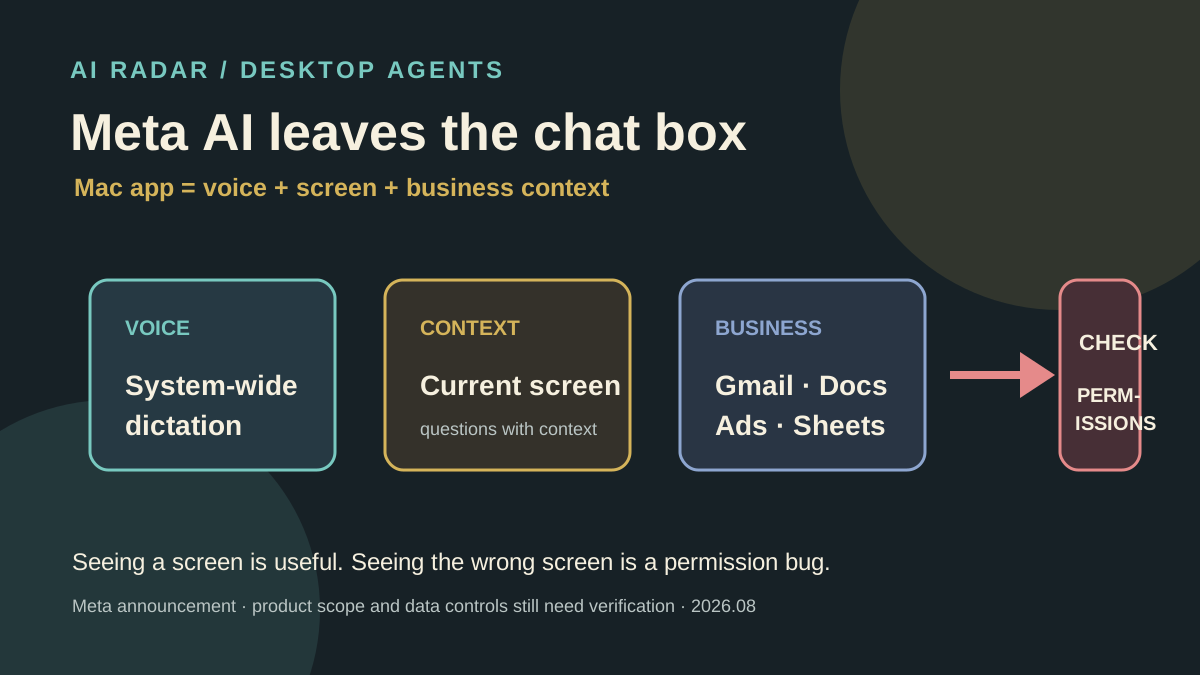
Meta announced a new Mac version of Meta AI on August 20 with cross-app system-wide dictation, current-screen context and connections to Instagram, Facebook, ad campaigns and Google Workspace. It shows AI moving from chat pages into desktop workflows, but the public scope covers reading and answering, not proof of safe complex cross-app execution.
The short version
Meta's new Mac version of Meta AI is more than a chat box: it can dictate across apps, read the current screen and connect to business email, documents and advertising data.
It looks like a small desktop feature, but it points to the next competitive layer in AI products: hide an Agent inside the system where people already work instead of asking them to open another chat page.
What happened
On August 20, Meta announced a new Mac app for Meta AI. It adds system-wide dictation that works across apps like Wispr Flow and Superwhisper. Meta AI can also look at the current screen and answer questions using context from its Muse Spark model.
This is not Meta's only update. For merchants, Meta also says users can connect Instagram, Facebook, ad campaigns, Gmail, Docs, Sheets and Slides. The assistant can answer questions about campaign performance, audience engagement and public competitor information, and create proposals, documents and spreadsheets.
Google added system-wide dictation to its Gemini Mac app last month as well. The desktop entry point is moving from “open an app and ask” to “call the assistant inside any work surface.”
The first reversal: dictation is only the entrance
From the feature list, Meta looks like it is copying a voice-input tool. But the real value of system-wide dictation is that it stays available above other applications.
Users do not have to copy a meeting note, email or spreadsheet into a chat box. A future assistant can understand the current page, current task and user permissions, then take the next step.
That is why Meta emphasizes connected business data. Ad analysis, customer support, proposal writing and spreadsheet updates already happen across different tools. An Agent's value is not one answer; it is connecting those contexts.
The second reversal: seeing the screen is not safe control
Meta currently describes “looking at the screen and answering,” not unconditional control of a Mac. Whether the assistant can click, send, edit or act across apps remains a product and permission question.
Screen context also creates a new privacy boundary. Email, password managers, customer records and internal documents may appear in the same readable frame. For enterprises, “can see” is a permission decision, not just a UI feature.
What it means for users and teams
Individuals can start with cross-app dictation and screen questions, useful for meeting notes, explaining a page and quickly organizing information.
Teams should first confirm four things:
- Which applications and windows can be read.
- Whether screen content is stored, used for training or sent to the cloud.
- Whether Gmail, Docs and ad-account permissions can be separated by member.
- Whether creating or changing documents, sheets and campaigns requires approval.
These questions matter more than whether the assistant can speak naturally.
Our judgment
Meta's Mac app may not be the strongest desktop assistant, but it makes the direction clear: AI is moving from a standalone destination to an operating-system and business-software entry layer.
That is convenient for users and strategic for platforms. Whoever controls screen context, account connections and the next action may control more of the workflow, not merely more chat messages.
The public evidence is still a product announcement and media reporting. It is not enough to show that Meta AI can reliably complete complex cross-app Agent tasks. Desktop permissions, data retention, regional availability and real-world model quality still need testing.
What to watch next
- Whether Meta enables more Mac actions than reading and answering.
- How screen, voice and connected business data are stored and isolated.
- The real difference between Meta AI, Gemini, ChatGPT and desktop tools such as Superwhisper.
- Whether merchants will connect advertising, customer and office data to one assistant.
If you try it now, start with low-sensitivity windows and read-only tasks before connecting email, customer data or ad accounts.