Apple is selling the $899 Mac mini as an always-on AI Agent
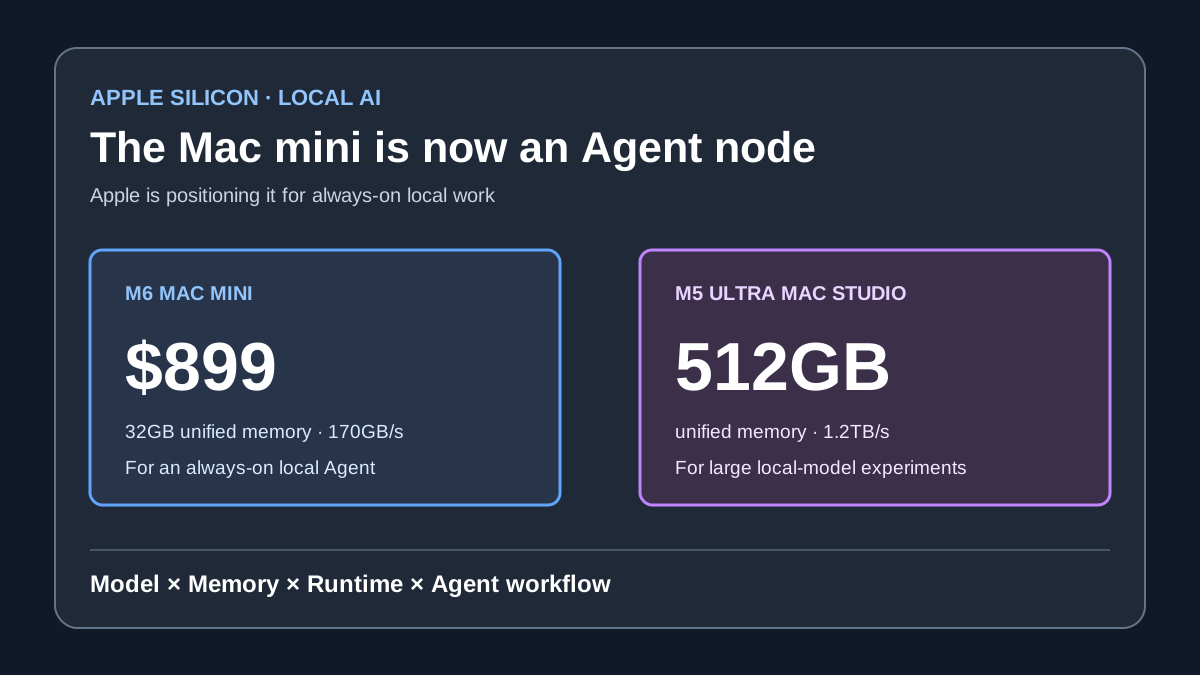
On August 25, Apple launched the M6 Mac mini, M5 Pro Mac mini and M5 Ultra Mac Studio, explicitly describing the Mac mini as an 'always-on agentic computing' device. The M6 Mac mini starts at $899 with up to 32GB unified memory; the M5 Ultra Mac Studio reaches 512GB and 1.2TB/s of bandwidth. Apple is selling a quiet, persistent node for local models and Agents, not only a faster desktop. But its AI performance figures are vendor tests; model compatibility, sustained power draw and real Agent behavior remain unknown.
Conclusion
Apple launched the M6 Mac mini, M5 Pro Mac mini and M5 Ultra Mac Studio today. The interesting change is not only another chip-generation speed claim. Apple is explicitly describing the Mac mini as an “always-on agentic computing” device: a small desktop that can sit on a desk and keep local models and Agents running.
The M6 Mac mini starts at $899 with up to 32GB of unified memory. The M5 Ultra Mac Studio reaches 512GB and 1.2TB/s of bandwidth. For people who want coding agents, retrieval systems or home automation to stay local, this matters more than a CPU chart alone.
Do not read Apple's marketing numbers as proof that local AI has replaced the cloud. The performance claims are Apple's own tests. Real model capacity, sustained power draw and Agent reliability still need independent answers.
Apple changes the Mac mini's role
Apple repeatedly uses “agentic computing” in the new Mac mini announcement. The M6 model targets developers, AI hobbyists and enterprises, highlighting local LLMs, code compilation, file indexing and long-running workflows.
The headline specifications are:
- M6: a 12-core CPU, 12-core GPU and dual 16-core Neural Engine;
- up to 32GB unified memory and 170GB/s bandwidth;
- Apple claims up to 4x the AI performance of the M4 Mac mini;
- $899 starting price, with deliveries from September 22;
- M5 Pro: up to 64GB memory, 307GB/s bandwidth and Thunderbolt 5.
That may not matter much to a cloud-API user. It matters more to a local Agent that repeatedly reads files, runs tools, stores context and calls a model. When memory is tight, the experience often degrades through swapping, waiting and context churn before a headline benchmark exposes the problem.
The second machine: M5 Ultra pushes local models into the pro desktop
Mac Studio with M5 Ultra takes a different route. It reaches 36 CPU cores and 80 GPU cores, uses a four-die package, and offers up to 512GB unified memory with 1.2TB/s bandwidth.
Apple says it is designed for hundreds-of-billions-parameter models, scientific simulations and video workflows. The claim has a technical basis: CPU, GPU and Neural Engine share a large memory pool, reducing some of the transfers that traditional discrete setups require.
But fitting a model is not the same as using it comfortably. Throughput depends on quantization, runtime, context length, concurrency and Apple-Silicon optimization. Apple did not publish a reproducible local-model throughput table today.
The reversal: 4x AI performance is not 4x Agent success
Apple's most clickable numbers include up to 4x the M4 Mac mini's AI performance, and LM Studio prompt processing up to 13.5x M1 and 4.8x M4.
Those figures can show faster silicon and software. They cannot be converted directly into “4x more productive Agents.” Long tasks also depend on the model, tools, context management, network, retries and permissions. Our recent DeepSeek benchmark fact-check showed how the same model could move 33 points on Terminal-Bench when the harness changed.
Hardware is only one layer of an Agent system. Local compute can reduce latency, protect data and lower a long-run API bill. It does not automatically solve planning errors or failed actions.
Who should consider it
If you run local coding agents, document retrieval, home servers or privacy-sensitive automation every day, the M6 Mac mini's appeal is quiet, compact and persistent. The $899 entry price is also easier to accept than a high-end GPU workstation.
If your goal is serious local models rather than ordinary desktop work, 32GB may become the limit quickly. M5 Pro at 64GB looks like a more practical starting point. M5 Ultra configurations at 192GB, 256GB or 512GB are for serious large-model experiments, but price, power and software support need their own calculation.
Do not start with model size alone. Test your own workload: one code fix, one long-document retrieval task and one tool-using automation. Record tokens per second, time to first token, total power, failure rate and human rework.
Our judgment
Apple is really introducing a product position: the Mac is not only a personal computer in front of a screen, but also a node that stays on and handles local data and Agent work.
That moves competition from “whose chip wins a chart?” to “who can connect local models, system permissions, tools and applications into a stable workflow?” Apple has advantages in unified memory, Metal, Core ML and system-level permissions. It still needs more third-party model and Agent testing to prove this is more than a marketing phrase.
What to watch next
- Real throughput for popular open models on M6 32GB, M5 Pro 64GB and M5 Ultra 512GB;
- How quickly LM Studio, Ollama, MLX and llama.cpp support the new chips;
- Actual daily power draw and thermals for always-on Agents;
- Whether Siri AI and third-party Agents can share permissions and memory in macOS 27;
- Whether the privacy benefit of local models justifies weaker capability or slower updates than cloud models.
Sources and evidence boundary
- Primary source: Apple's M6/M5 Ultra release, supporting chip specifications, memory and vendor AI claims;
- Primary source: Apple's new Mac mini release, supporting price, delivery date and Agent positioning;
- This article does not present Apple's own figures as independent benchmarks or promise that a specific model will run smoothly on a specific memory configuration.